
How Do You Track Your Remaining Classes?

You buy a course package, attend a few sessions, and one day realize half your classes expired without you noticing. Here are 5 ways to keep track — from LINE messages to dedicated apps.
How many classes do you have left?
If you can't answer that in 3 seconds, keep reading.
Gym packages, language courses, beauty treatments — you go to a session, mentally note "I probably have 12 left," and move on. Then one day you check with the studio and find out you're down to 4. Expiring next month.
Instructors have the same problem in reverse. When your students go from 3 to 15, each on a different package with a different expiry date, you start getting the same message every day: "How many classes do I have left?"
Digging through chat logs, notebooks, or spreadsheets just to answer that question eats up time.
You want to stay consistent, but there's no easy way to keep track.
1. LINE Messages
Open LINE, scroll up through your chat with the instructor, find the message: "One class used today, 14 left."
Sound familiar? This is how most people do it.
No extra apps needed — just note it down while you’re chatting. LINE Keep (or Notes) works too. Pin a note in the chat so both sides can see it.
But it falls apart over time:
- Messages get buried under scheduling, photos, and small talk.
- Keep notes are better, but you still update the number manually. No log of who changed it or when.
- Three studios, three chat windows to check.
- No expiry reminders.
Best for: One course package, one instructor.
2. Handwritten Notes
If you already manage your life with a planner, this feels natural.
Dedicate a page: course name, total classes, expiry date. Cross one off after each session. Open the book, see where you stand.
Writing by hand does make things stick. That moment of putting pen to paper forces you to pause and register it.
But:
- Forget the notebook, and you can't check.
- Your instructor can't see it. If there's a dispute, it's your word only.
- No reminders when a package is about to expire.
Best for: 1–2 packages, and you already use a planner.
3. Spreadsheets
If you calculate cost-per-class, a spreadsheet is probably your first instinct.
Google Sheets, one table: course name, purchase date, total classes, used, remaining, expiry, price per class. Add a few formulas and remaining classes calculate themselves. Conditional formatting turns the expiry date red.
For a free option, this is the most structured. You see everything in one place.
The catch: you have to open the sheet and update it after every class.
On a computer, that's fine. On your phone, walking out of yoga class drenched in sweat? You're not opening Google Sheets to change a number.
So you forget. And then it's the same as not tracking at all.
Instructors hit the same wall. Only they can see the sheet. Students still ask "how many do I have left?" — and the instructor still has to look it up and reply.
Best for: 3+ packages, you love data, and you're disciplined enough to update every time.
4. Notion or Apple Notes
If you already run your life in Notion — to-dos, study notes, travel plans — adding class tracking feels obvious.
Create a database. One entry per package: classes, expiry, session log. Add a progress bar if you want to see the remaining percentage.
Apple Notes or Google Keep work for simpler setups. Just open a new note.
These tools are already on your phone, they sync across devices, and both Notion and Apple Notes support shared editing — so instructor and student can use the same note. Better than a spreadsheet in that regard.
But they're not built for this:
- Every deduction means manually changing a number. No one-tap deduct.
- No confirmation trail. Once someone changes it, there's no record of who or when.
- No expiry reminders.
Best for: You already live in Notion. If you don't, it's not worth learning a new tool just for this.
A Dedicated App
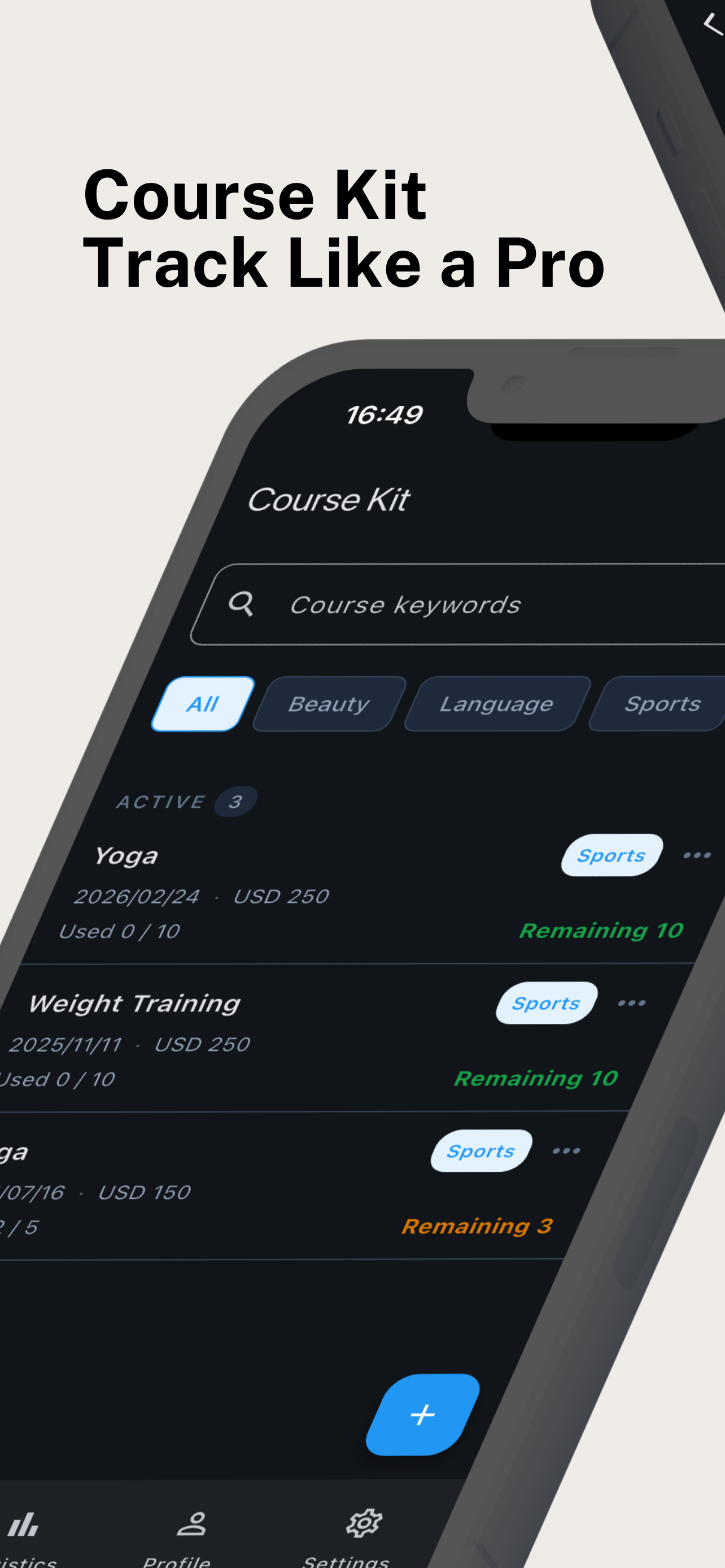
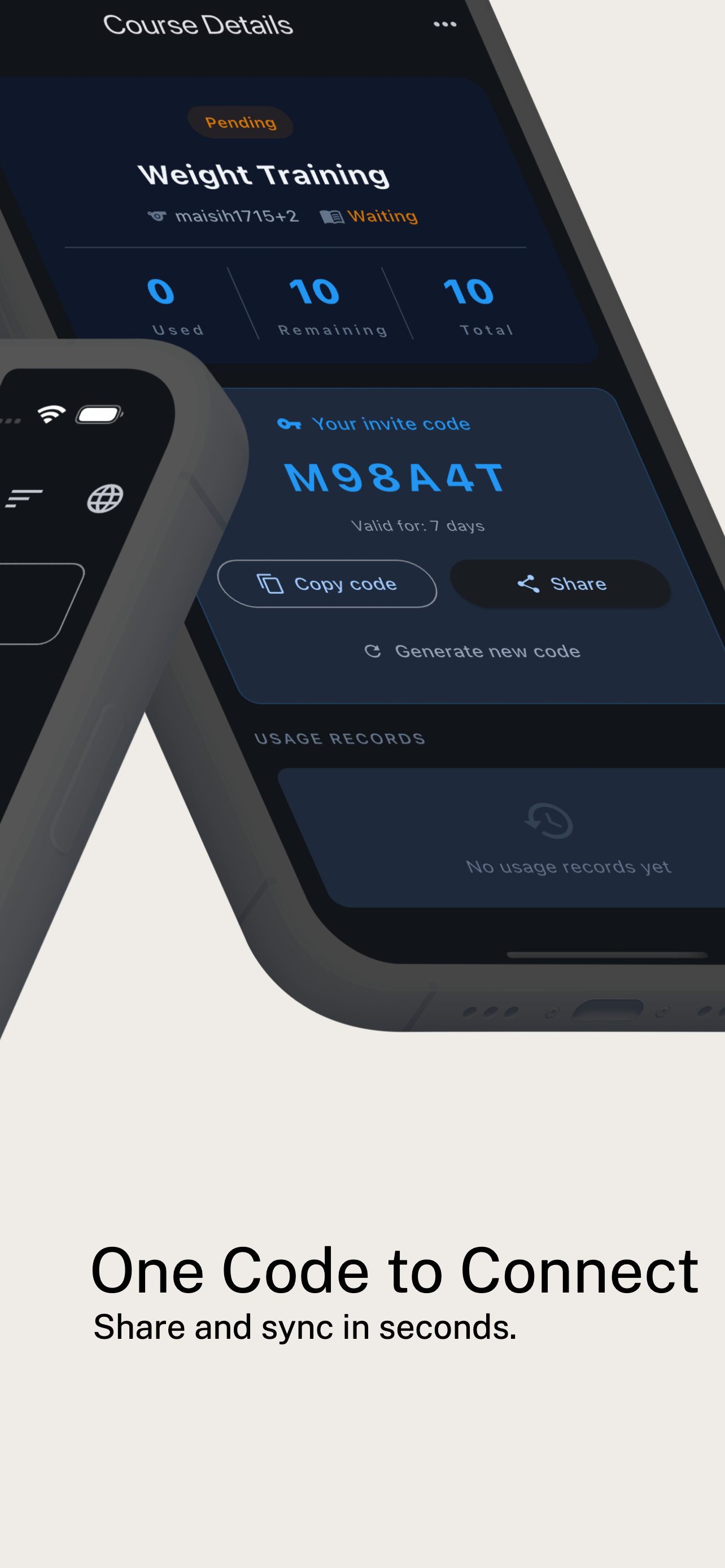
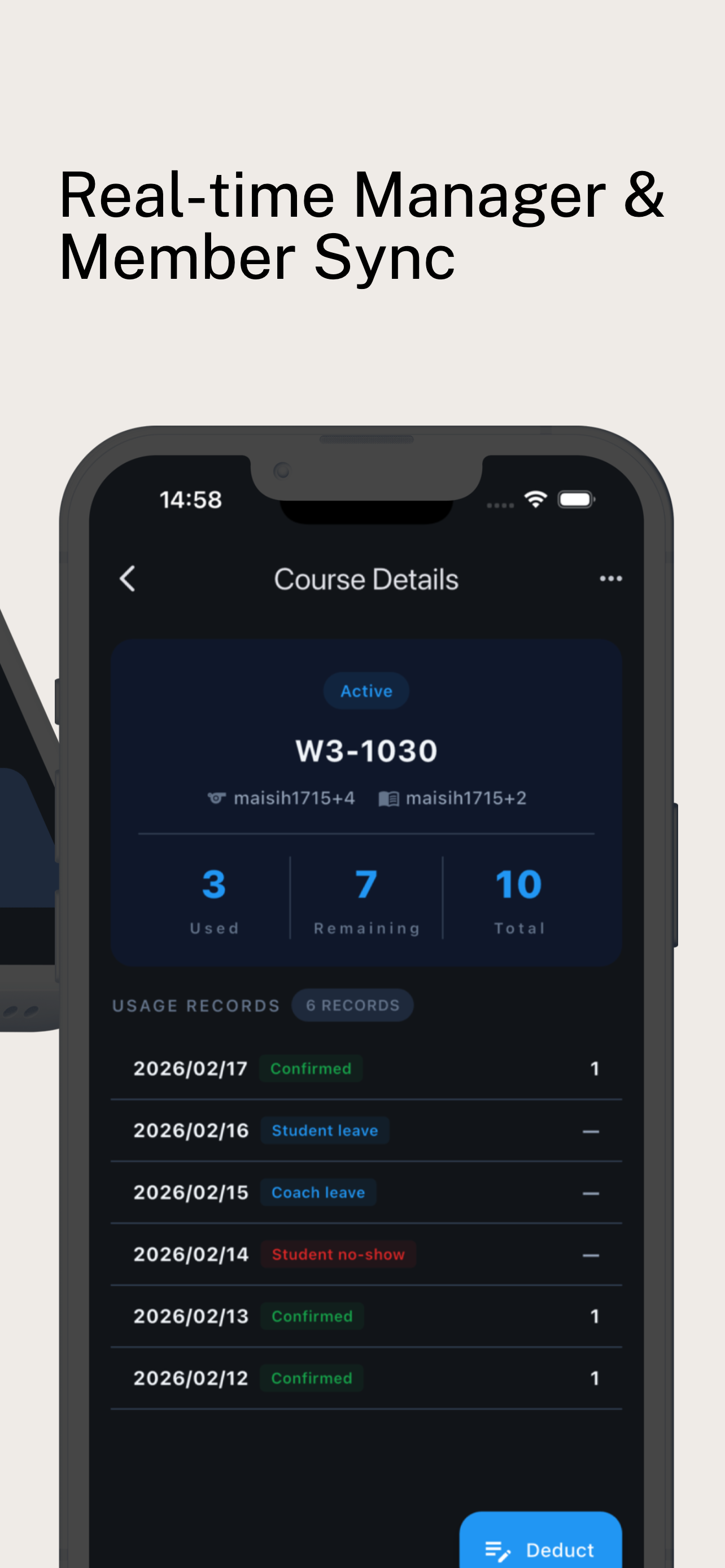
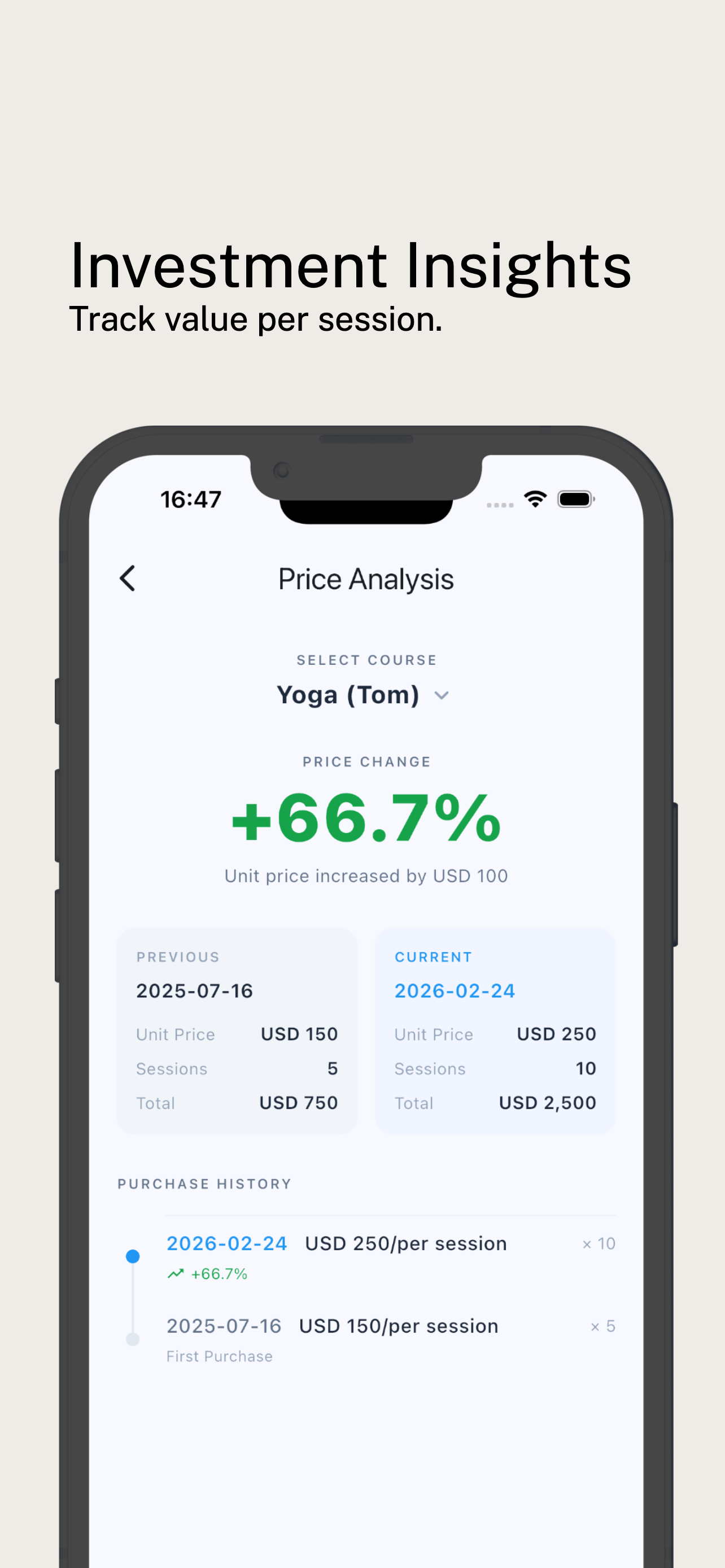
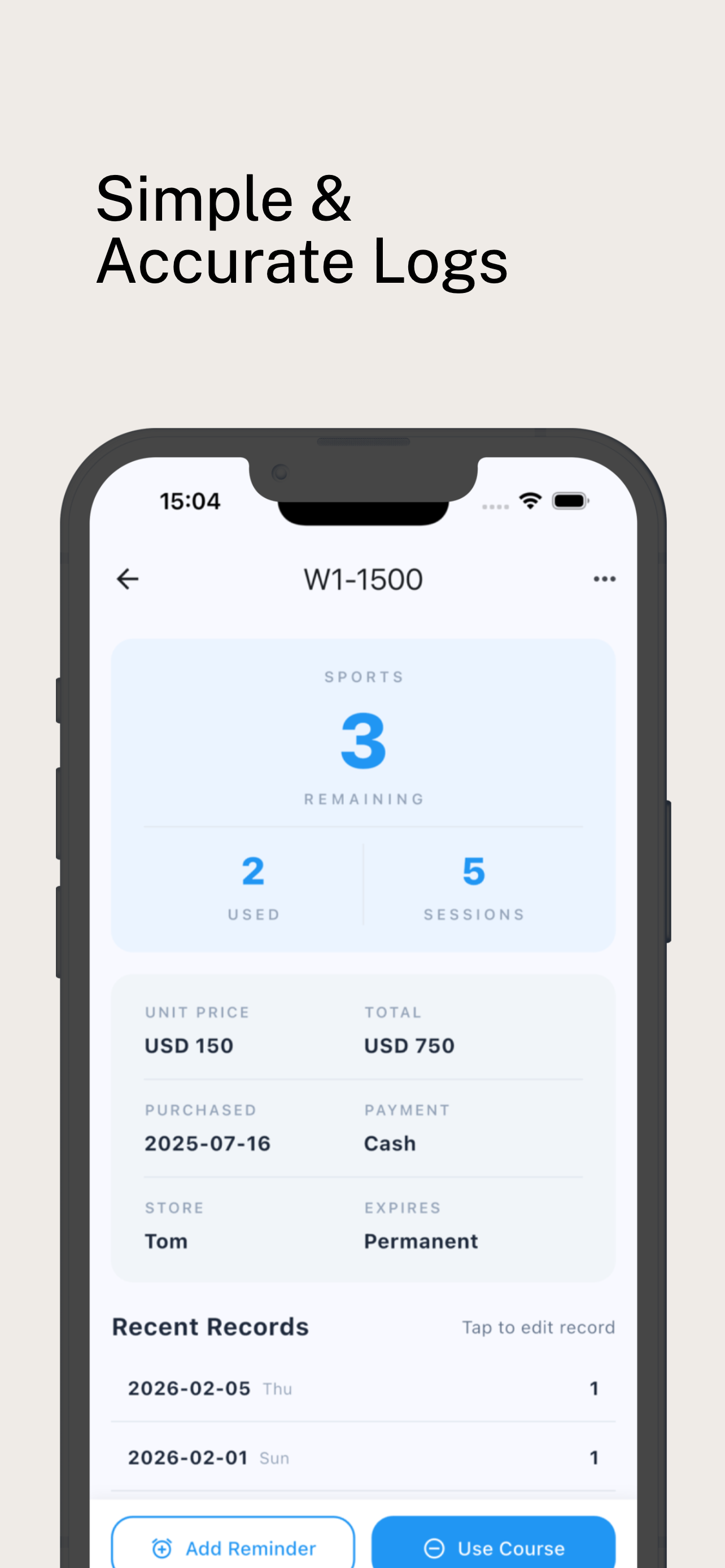
All four methods above can track classes. Some even let both sides view the count. But they all require manual number changes with no confirmation step.
When counts don't match, good luck figuring out who changed what.
Course Kit is built specifically for this. It works differently.
How it works:
- Instructor creates a course — sets total classes and expiry.
- Invites students to join.
- After a session, tap to deduct. Both sides confirm before it goes through.
- Students open the app anytime to check their balance.
More than just deductions:
- Buy-10-get-1-free? Set it as 11 classes.
- Group packages? Each student tracks their own count.
- Automatic reminders before expiry — for both instructor and student.
The tradeoffs:
- It's another app to download (iOS and Android).
- Both instructor and student need it installed for two-way confirmation to work.
Course Kit has two modes:
Self-Record — Track your own classes privately, no one else involved.
- Expiry reminders: get push notifications when a package is running low.
- All packages in one place: one screen for everything.
Collaborate — Instructor and student share the same course. Each deduction requires both sides to confirm.
- Two roles: Manager (usually the instructor — creates the course, sets class count and expiry) and Member (usually the student — joins and tracks their balance).
- Both sides see the same count. Deductions need mutual confirmation — no disputes.
- One person can hold both roles. Teach on the side and take classes elsewhere? One account covers everything.
Plans:
- Free: Up to 150 self-recorded classes. Managers can create 2 collaborative courses. Joining as a member is always free.
- Paid: Up to 500 self-recorded classes. Unlimited collaborative courses for managers.
Best for: 3+ packages, you forget class counts often, or you teach on the side and need to sync with students.
Side-by-Side Comparison
| Method | Cost | Difficulty | Multi-Course Management | Expiry Reminders | Instructor-Student Sync | Best For |
|---|---|---|---|---|---|---|
| LINE Notes | Free | Zero | ✗ | ✗ | Keep/Notes | 1 Course Package |
| Handwritten Notes | Free | Low | ✗ | ✗ | ✗ | Planner Enthusiasts |
| Spreadsheet | Free | Medium | ✓ | Configurable | ✗ | Data Lovers |
| Notes App (e.g., Notion) | Free | Low | ✓ | ✗ | Shared Editing | Notion Users |
| Dedicated App | Free/Paid | Low | ✓ | ✓ | Dual Confirmation | 3+ Course Packages |
There's no best method. There's only what works for you.
One package? A LINE note is fine. Three or more, or you teach on the side? You probably need something harder to forget.
Tracking classes isn't a big deal — which is exactly why it slips through the cracks.
Pick a method, spend 30 seconds after each session, and you might save yourself thousands in expired course fees.
If you want to try two-way class tracking, Course Kit is free to start!.

